Ever wondered how some Roblox game creators seem to have ultimate control, effortlessly managing their servers and enhancing gameplay? This comprehensive guide dives deep into the world of the admin command button in Roblox, a powerful tool for players and creators alike. For the busy gamer, perhaps juggling a career, family, and a passion for virtual worlds, mastering admin commands can revolutionize your Roblox experience. Imagine swiftly resolving in-game issues, customizing your environment on the fly, or even creating unique social events with just a few keystrokes. This article explores how to acquire, implement, and effectively utilize admin commands, transforming how you interact with and manage your favorite Roblox games. We'll cover everything from basic setup to advanced moderation techniques, ensuring you can optimize your limited gaming time for maximum enjoyment and control. Discover trending uses that make social play more engaging and performance smoother, all without the hype, just practical, actionable advice for the modern gamer.
What is an admin command button in Roblox?
An admin command button in Roblox refers to a system, usually implemented via a GUI or chat commands, that grants specific players enhanced control over a game server. This power allows designated administrators to manage players, modify game environments, or troubleshoot issues within their own Roblox creations.
How do I enable admin commands in my Roblox game?
To enable admin commands in your Roblox game, you typically insert a pre-made admin script or model from the Roblox Creator Marketplace into your game using Roblox Studio. After inserting, you configure the script to add yourself and other trusted players as administrators by inputting their User IDs or usernames.
What are the most useful admin commands for game moderation?
For game moderation, highly useful admin commands include ':kick [playername]' to temporarily remove disruptive players, ':ban [playername]' for permanent removal, and ':mute [playername]' to prevent chat spam. These commands help maintain a positive and fair environment for all players.
Can admin commands improve my Roblox game's performance?
Admin commands themselves do not directly improve game performance. However, they can indirectly help by allowing you to quickly remove lag-inducing objects or manage server load by kicking disruptive players who might be causing issues. Overuse of object-spawning commands can actually decrease performance.
Is it safe to use free admin command scripts from the Roblox Toolbox?
Using free admin command scripts from the Roblox Toolbox is generally safe if they are from reputable creators with many likes and positive reviews. Always be cautious of unknown scripts, as poorly coded or malicious ones could introduce vulnerabilities to your game. Review the script code if you have programming knowledge.
What are some fun admin commands to use with friends?
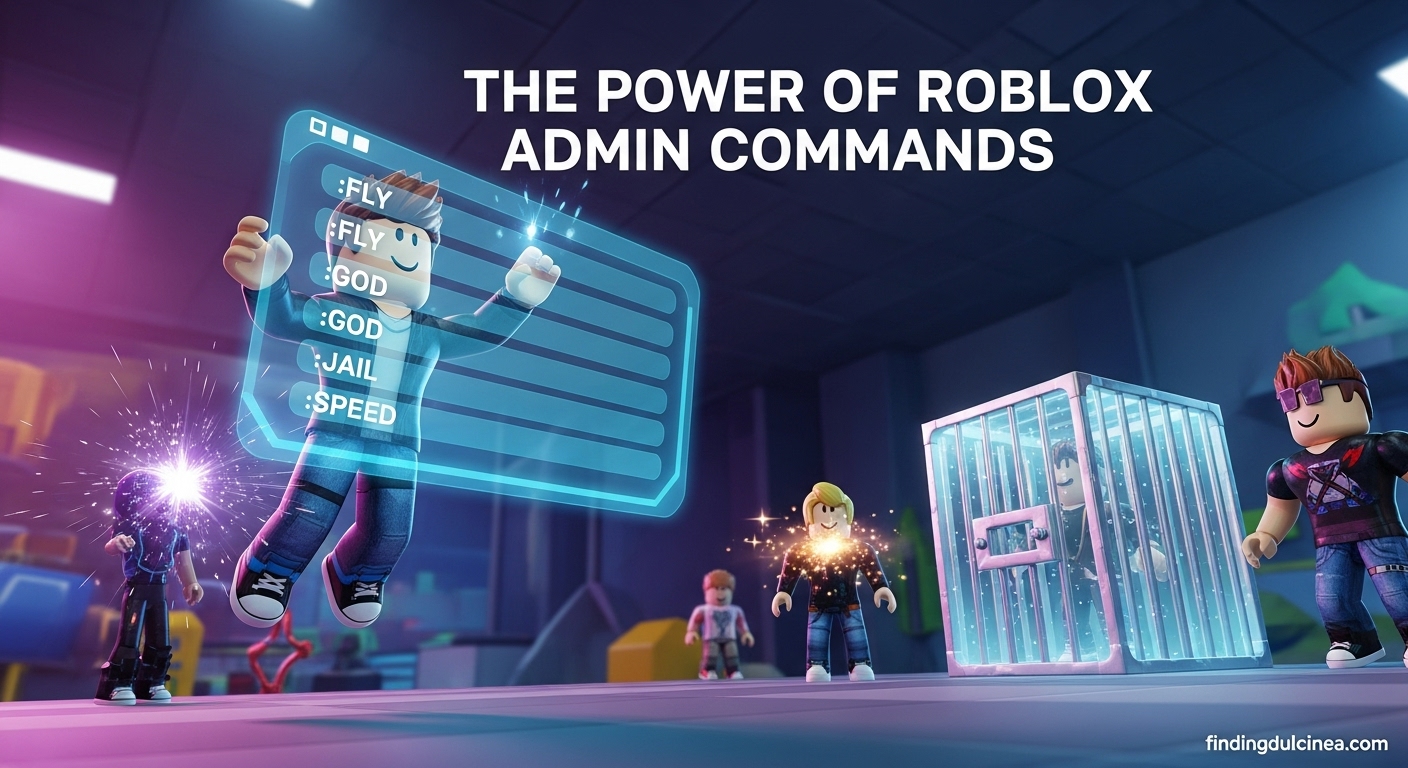
For fun with friends, try commands like ':teleport [playername] [target]', ':speed [playername] [value]' to make them super fast, ':fly [playername]' for aerial exploration, or ':kill [playername]' for playful resets. These commands enhance social interactions and create memorable moments in your custom games.
How do I troubleshoot if my admin commands are not working?
If your admin commands aren't working, first verify your permissions in the script, check the command syntax for typos, and ensure the admin system is correctly installed in your game. Also, examine the 'Output' window in Roblox Studio for any error messages that could indicate a problem.
Hey fellow gamers, ever feel like there just isn't enough time to fully enjoy your favorite titles? We get it. Balancing work, family, and a passion for gaming often means maximizing every precious minute you spend online. For the 87% of US gamers who regularly dive into virtual worlds, often dedicating 10+ hours a week, efficiency and control are paramount. This is especially true in a dynamic, user-generated platform like Roblox, where personalization and community are king. Many of us want to create the perfect hangout, manage a friendly server, or simply have more fun with friends without wrestling with complex setups or unexpected hiccups.
That's where the mighty admin command button Roblox comes into play. It's not just for hardcore developers; it's a powerful tool that can empower *you*, the everyday gamer, to take charge of your experience. Imagine being able to instantly fix a bug, teleport players, or change game settings with a simple command. This isn't about cheating; it's about enhancement, control, and creating a better environment for yourself and your fellow players. This month, with social gaming and personalized experiences trending, knowing how to leverage admin commands can truly elevate your Roblox adventures. We're going to dive deep, providing practical, no-nonsense advice to help you master admin commands, optimize your playtime, and make your Roblox worlds truly your own.
What exactly is an admin command button in Roblox?
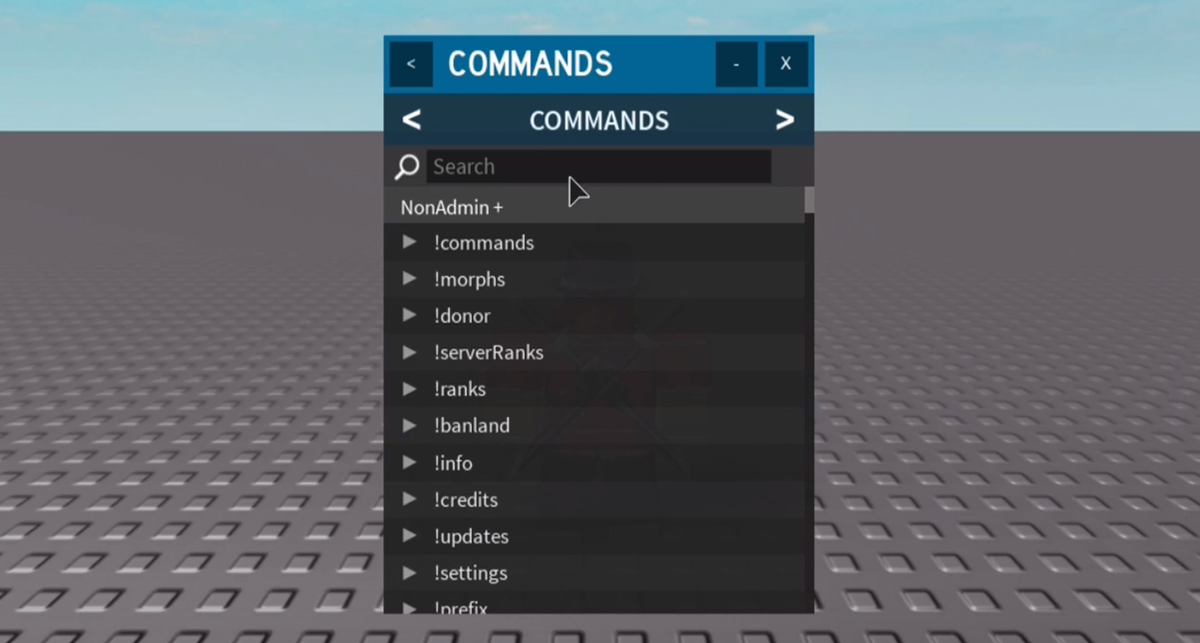
In Roblox, an admin command button, or more generally, admin commands, refers to a set of special text-based instructions you can type into a chat or console to execute specific actions within a game. These commands give players with appropriate permissions (usually game owners or designated administrators) enhanced control over the game environment, players, and various mechanics. Instead of being a literal 'button,' it's more of a functional system, often implemented through a GUI (Graphical User Interface) system that translates button presses into command inputs, making it user-friendly. This capability is crucial for managing custom servers, moderating player behavior, and personalizing gameplay, providing a powerful toolkit for those who want to shape their Roblox experience beyond standard play.
Why would a busy gamer want to use admin commands?
For the average gamer, especially those balancing life's demands, time is a precious commodity. Admin commands offer several compelling advantages that optimize your gaming sessions. Firstly, they provide instant control, allowing you to quickly resolve issues like a stuck character, a disruptive player, or an unexpected game glitch, minimizing downtime and frustration. Secondly, they enable rapid customization, letting you adjust game settings, spawn items, or create scenarios for focused fun or skill-building, perfect for short bursts of play. Thirdly, admin commands foster better social experiences. You can host unique events, manage player interactions smoothly, and ensure a positive environment for friends and family, making your social gaming time more rewarding and stress-free. Instead of tedious manual adjustments, a quick command gets you back to the fun faster, aligning perfectly with the need for efficient, enjoyable gaming experiences.
How do you get admin commands in your Roblox game?
Acquiring admin commands for your Roblox game primarily involves integrating an admin system. The most common method is by inserting a pre-built admin script or model from the Roblox Creator Marketplace into your game. Popular choices include systems like HD Admin, Adonis Admin, or Cmdr. Once you've chosen a system, you'll open your game in Roblox Studio, navigate to the 'Toolbox,' search for your preferred admin model, and insert it into your game, typically into 'Workspace' or 'ServerScriptService' depending on the system's instructions. After insertion, you'll usually need to configure the script to designate yourself and other trusted players as administrators, often by inputting their User IDs or usernames into a configuration table within the script. Remember to test thoroughly after setup to ensure all commands function as expected and permissions are correctly assigned before publishing your game.
What are some essential admin commands every Roblox gamer should know?
Mastering a few core admin commands can significantly enhance your Roblox game management. Here are some indispensable commands that every administrator should be familiar with:
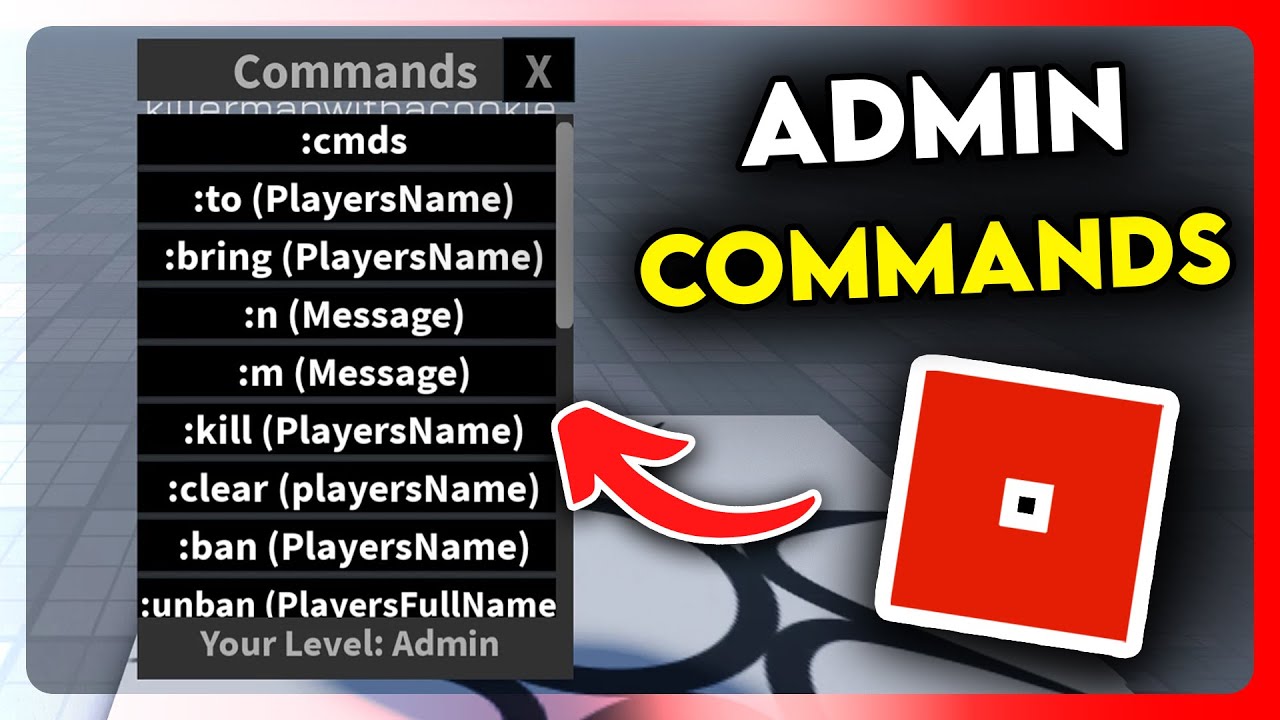
- :kick [playername]: Temporarily removes a disruptive player from the server.
- :ban [playername]: Permanently prevents a player from joining your game.
- :respawn [playername]: Instantly teleports a player back to their spawn point, useful for fixing glitches.
- :teleport [playername] [targetplayer/coordinates]: Moves a player to another player's location or specific coordinates.
- :give [playername] [item]: Grants a player a specific item, perfect for events or testing.
- :speed [playername] [value]: Adjusts a player's walking speed, great for fun or quick navigation.
- :fly [playername]: Allows a player to fly, offering unique perspectives or faster traversal.
- :bring [playername]: Teleports a player to your current location.
- :goto [playername]: Teleports you to another player's location.
- :kill [playername]: Eliminates a player, useful for resetting situations or managing minigames.
These commands provide the foundation for effective game moderation and dynamic interaction, allowing you to maintain control and inject creativity into your Roblox environment.
How can admin commands enhance social play and community building?
In today's gaming landscape, where social connections are paramount (with mobile gaming dominating and social features trending), admin commands are fantastic for fostering community. Imagine organizing impromptu mini-games, like a scavenger hunt where you use commands to hide items and teleport players. You can create unique role-play scenarios, instantly changing the game's atmosphere or player roles. Hosting exclusive events becomes effortless; you can invite friends, manage access, and even grant special abilities for a limited time, making your server the go-to spot. Furthermore, admin commands enable quick and fair moderation, ensuring a positive and respectful environment for all, which is vital for retaining a healthy player base. By providing a safe and engaging space, you encourage repeat visits and stronger social bonds within your Roblox community, aligning with the current trend of cozy, social gaming experiences.
Are there performance benefits or risks to using admin commands?
Using admin commands primarily offers functional benefits, but their impact on performance can vary. Generally, well-coded admin systems are optimized and won't significantly degrade game performance. However, continuously spamming commands, especially those that spawn numerous objects, execute complex scripts, or affect many players simultaneously, can lead to server lag or client-side frame rate drops. For example, repeatedly using a ':spawn' command for hundreds of items could strain your server. From a risk perspective, the main concern is security. A poorly configured admin system, or one from an untrusted source, could have vulnerabilities that malicious users might exploit to gain unauthorized access or disrupt your game. Always ensure your admin system is reputable, kept up-to-date, and that admin permissions are granted judiciously to trusted individuals only. Regular gamers balancing performance with fun should always prioritize reliable systems.
How do I troubleshoot common issues with Roblox admin commands?
Even seasoned gamers encounter glitches. When your Roblox admin commands aren't working as expected, here's a troubleshooting checklist:
- Check Permissions: Ensure you (or the player trying to use commands) are correctly listed as an administrator in the admin system's configuration script. Double-check User IDs for accuracy.
- Verify Installation: Confirm the admin system model is correctly placed in your game (e.g., in Workspace or ServerScriptService) and hasn't been accidentally deleted or moved.
- Script Errors: Open the 'Output' window in Roblox Studio (View > Output) to check for any red error messages related to the admin script. These often pinpoint the exact problem.
- Correct Syntax: Are you typing the commands exactly right? Commands are case-sensitive and require specific prefixes (like ':' or ';'). Refer to the admin system's documentation for exact syntax.
- Conflicting Scripts: Other scripts in your game might be interfering with the admin system. Try temporarily disabling other scripts to see if the admin commands start working.
- Outdated System: Ensure your admin system is up-to-date. Developers frequently release updates to fix bugs and improve compatibility.
- Roblox Updates: Occasionally, Roblox platform updates can temporarily break older scripts. Check if others are reporting similar issues in developer forums.
Patiently going through these steps usually helps pinpoint and resolve most admin command problems, getting you back to managing your game effectively.
What are the ethical considerations when using admin commands?
With great power comes great responsibility, even in Roblox. Using admin command button Roblox requires ethical considerations, especially when interacting with other players. Firstly, moderation should always be fair and consistent. Avoid favoritism or targeting specific players. Kicking or banning someone without clear justification can harm your game's reputation and community. Secondly, respect privacy; do not use commands to harass, spy on, or unfairly disadvantage players. Teleporting players without their consent, for example, can be intrusive. Thirdly, use commands constructively to enhance the game, not to abuse your power or create a frustrating experience for others. Finally, clearly communicate your server rules and how admin powers are used. Transparency builds trust. These principles are vital for fostering a positive, inclusive, and fun gaming environment, especially for players who value social interaction and fair play.
How do admin commands fit into Roblox's free-to-play model and monetization?
Admin commands fit seamlessly into Roblox's free-to-play model by empowering creators without requiring direct payment for basic control. Many popular admin systems are available for free on the Creator Marketplace, making powerful tools accessible to everyone. This accessibility fosters creativity and enables developers, from casual creators to experienced studios, to build engaging experiences that attract players. While the core admin systems are often free, monetization typically comes into play through game passes or developer products that grant special admin privileges to players within specific games. For example, a game might sell a 'VIP Admin Pass' that allows players to use certain fun commands like ':explode' or ':hat' on themselves. This creates an optional revenue stream for creators while enhancing player experience, aligning with Roblox's creator-driven economy and microtransaction model, where value for money and optional enhancements are key.
Final Thoughts: Mastering Your Roblox Domain
Whether you're building the next big social hub, hosting exclusive events for friends, or simply seeking a more controlled and enjoyable personal gaming space, understanding and utilizing the admin command button Roblox is a game-changer. It's about empowering you, the dedicated gamer, to shape your virtual world, solve problems efficiently, and make your limited gaming time more meaningful. In an era where personalized, social, and accessible gaming reigns supreme, admin commands are a core skill for maximizing your Roblox potential. What's your biggest gaming challenge that admin commands could solve? Comment below!
FAQ Section
Can I use admin commands on any Roblox game?
No, you can only use admin commands in games where you are the owner or have been explicitly granted admin permissions by the game owner through an installed admin system. You cannot use them in games created by others unless they've given you access.
Are Roblox admin commands free to get?
Yes, most popular and functional admin command systems available on the Roblox Creator Marketplace are free to acquire and implement into your own games. While some developers might sell game passes for enhanced admin access within their specific games, the core systems themselves are generally free for creators.
Do I need to know how to code to use Roblox admin commands?
Not necessarily. While setting up an admin system involves inserting and configuring a script in Roblox Studio, you typically don't need extensive coding knowledge. The process usually involves drag-and-drop and simple text editing (like adding usernames or IDs) rather than complex programming from scratch.
Can using admin commands get my Roblox account banned?
Using admin commands responsibly in your own games, or games where you are legitimately an admin, will not get you banned. However, attempting to exploit vulnerabilities to gain unauthorized admin access in other players' games, or using commands to violate Roblox's Terms of Service (e.g., harassment), can lead to account suspension or termination.
What's the difference between an admin and a moderator in Roblox?
An admin typically has a broader range of powerful commands, including game-changing functions like spawning items, teleporting, or modifying game settings. A moderator usually has a more restricted set of commands, primarily focused on player management and maintaining order, such as kicking, banning, or muting, without altering core game mechanics.
How often are Roblox admin systems updated?
The update frequency for Roblox admin systems varies by the developer. Popular systems from active developers are often updated regularly to fix bugs, add new features, and maintain compatibility with Roblox platform changes. It's wise to check the system's Creator Marketplace page or developer group for update announcements.
Can I create my own custom admin commands?
Yes, if you have sufficient scripting knowledge in Lua, you can create your own custom admin commands by modifying existing admin scripts or by developing an entirely new system from scratch. This allows for highly tailored control and unique game interactions.
Unlock game control, enhance customization, improve moderation, boost social interaction, troubleshoot issues, learn essential commands, manage players, optimize gameplay, create unique experiences, understand ethical use.
35


How To Make Custom HD Admin Commands In Roblox Studio 2026 Roblox . How To Use Roblox Admin Commands Like A Pro 2026 Ultimate Guide How To Use Roblox Admin Commands . How To Add Admin Commands In Your Roblox Game 2026 Step By Step . All Admin Console Commands In Steal A Brainrot Roblox TechWiser How To Use Admin Console Commands In Steal A Brainrot. How To Make Admin Commands In Roblox Studio 2025 YouTube


How To Make An Admin Panel In ROBLOX Studio 2026 YouTube . How To Make A Button That Opens Up A List Of Admin Commands In Roblox . How To Use Roblox Admin Commands 200 Commands 2026 How To Use Roblox Admin Commands . Admin Commands Roblox Png. How To Get FREE ADMIN COMMANDS In Steal A Brainrot ROBLOX Get Admin



This Is How To Use Admin Commands In Roblox YouTube . How To Add Admin Commands To Your Roblox Place 12 Steps Add Admin Commands To Your Roblox Place Step 12 . Admin Commands Roblox NoFilter. ADMIN COMMANDS In Roblox Fisch YouTube . How To Add Admin Commands In Roblox Studio YouTube


How To Script Admin Commands On Roblox H Ng D N Chi Ti T V N Gi N Roblox Admin Script . How To Make Custom Admin Commands In Roblox YouTube . How To Use Roblox Admin Commands May 2026 Full List Roblox Admin Commands . How To Give Someone Admin Commands In Your Roblox Game 2026 YouTube . Admin Commands Roblox NoFilter


Roblox Admin Commands Guide 2025 11 05 15 45 29 300x200 . How To Add Admin Commands In Your Roblox Game Full Guide YouTube . How To Add Admin Commands In Roblox Studio YouTube . Admin Commands Roblox NoFilter. Admin Roblox Admin Command Logo Roblox Png Roblox Admin Icon Free 5123334 Middle



OP ADMIN COMMANDS Roblox NoFilter. Roblox How To Add Admin Commands To Your Games Tech How Roblox Add Admin Commands . Admin Commands Roblox NoFilter. How To Add Admin Commands In Your Roblox Game Easy Setup Guide YouTube . A List Of Available Roblox Admin Commands How To Add Perk Points In Fallout 4 18 1024x597



All Admin Console Commands In Steal A Brainrot Roblox TechWiser How To Use Admin Panel In Steal A Brainrot. All Roblox Admin Commands Latest Version Updated List 2022 Roblox Admin Commands List . How To Add HD Admin Commands In Your Roblox Game 2025 Fast Easy . How To Make Admin Commands Roblox Tutorial YouTube . ADMIN COMMANDS Roblox Png